
Blog
JSON Formatting and Validation: Why Developers Need It

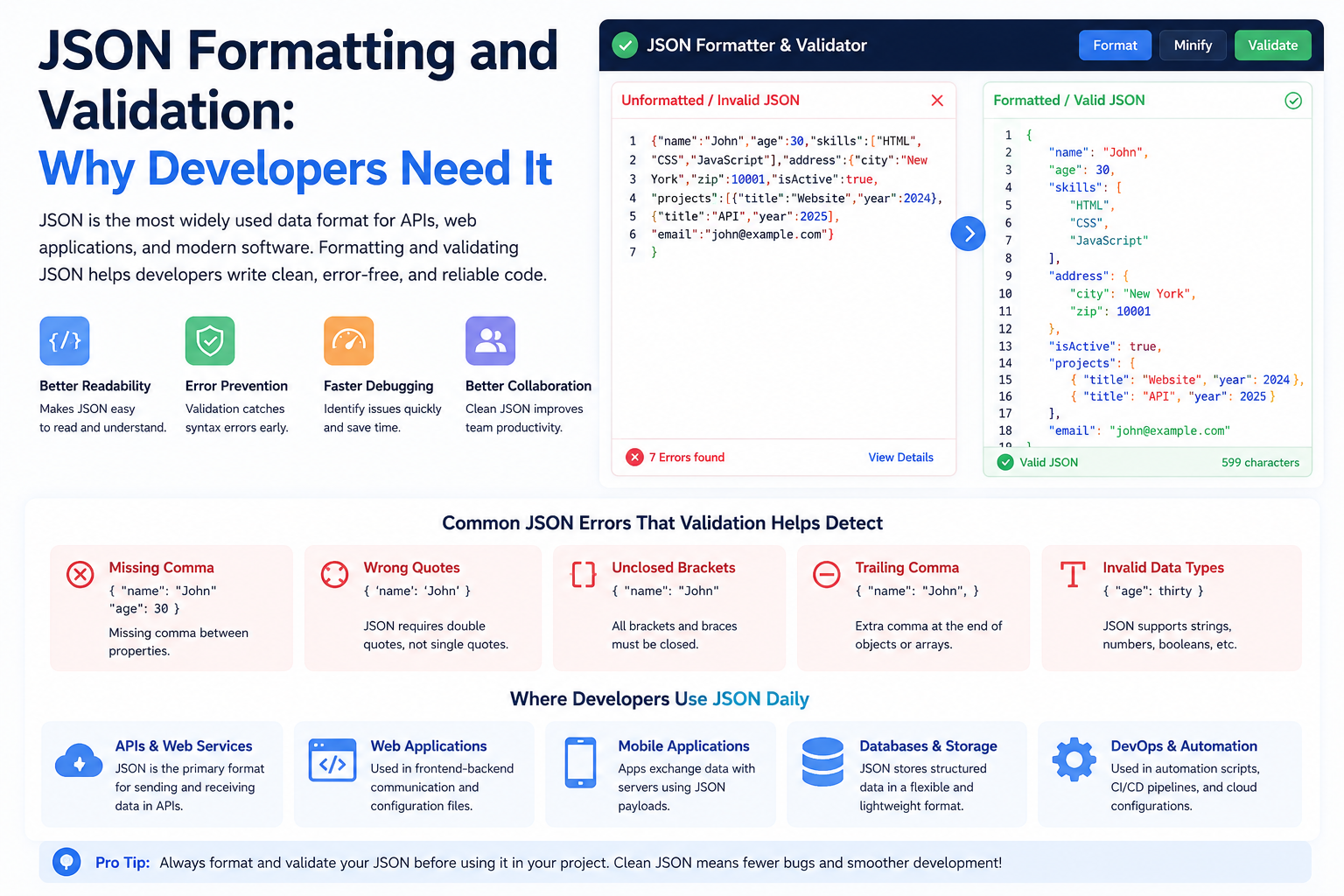
JSON Formatting and Validation: Why Developers Need It
Introduction
JSON (JavaScript Object Notation) has become one of the most widely used data formats in modern software development. From web applications and APIs to mobile apps and cloud services, JSON plays a critical role in how systems exchange information.
However, working with poorly formatted or invalid JSON can lead to errors, broken applications, and debugging headaches. That’s why developers rely on JSON formatting and validation tools to ensure their data is structured correctly.
In this article, we’ll explore what JSON is, why formatting and validation matter, and how developers can benefit from using JSON tools.
What Is JSON?
JSON is a lightweight format used to store and exchange data.
Example:
{
  "name": "John",
  "email": "john@example.com",
  "age": 30
}
JSON is:
- Human-readable
- Machine-readable
- Easy to parse
- Widely supported
Why JSON Is Popular
JSON is commonly used because it is:
Simple
The syntax is easy to understand.
Lightweight
JSON files are compact and efficient.
Cross-Platform
Works across multiple programming languages.
API Friendly
Most modern APIs use JSON for communication.
What Is JSON Formatting?
JSON formatting, often called beautification, organizes JSON data into a clean and readable structure.
Unformatted JSON
{"name":"John","email":"john@example.com","age":30}
Formatted JSON
{
  "name": "John",
  "email": "john@example.com",
  "age": 30
}
Both versions contain identical information, but the formatted version is easier to read and maintain.
Benefits of JSON Formatting
Improved Readability
Developers can quickly understand data structures.
Easier Debugging
Errors become easier to identify.
Better Team Collaboration
Readable code improves teamwork and maintenance.
Faster Development
Structured data reduces confusion.
What Is JSON Validation?
JSON validation checks whether JSON data follows proper syntax rules.
Validation identifies problems such as:
- Missing brackets
- Missing commas
- Invalid quotes
- Incorrect nesting
- Unexpected characters
Example of Invalid JSON
{
  "name": "John"
  "email": "john@example.com"
}
Problem:
Missing comma after the first property.
Correct version:
{
  "name": "John",
  "email": "john@example.com"
}
Why Validation Is Important
Prevent Application Errors
Invalid JSON can break APIs and applications.
Improve Data Quality
Validation ensures data integrity.
Save Development Time
Finding errors early reduces debugging effort.
Better API Communication
Valid JSON helps systems exchange information reliably.
Common JSON Mistakes
Missing Commas
One of the most frequent errors.
Incorrect Quotes
JSON requires double quotes.
Incorrect:
{
  'name': 'John'
}
Correct:
{
  "name": "John"
}
Unclosed Brackets
Missing closing braces cause parsing failures.
Extra Commas
Trailing commas are not allowed in standard JSON.
Where Developers Use JSON
JSON is used extensively in:
APIs
Most REST APIs exchange JSON data.
Mobile Applications
Apps frequently send and receive JSON responses.
Web Applications
Frontend and backend systems communicate using JSON.
Configuration Files
Many applications use JSON for settings and configuration.
Benefits of Using JSON Beautifier Tools
Online JSON formatting tools offer:
- Instant formatting
- Error highlighting
- Syntax validation
- Improved readability
These tools help developers work more efficiently.
Features to Look For
A good JSON tool should provide:
Validation
Checks syntax accuracy.
Beautification
Formats JSON neatly.
Minification
Compresses JSON for production use.
Error Detection
Highlights mistakes clearly.
Fast Processing
Handles large JSON files efficiently.
JSON Formatting vs JSON Minification
Formatting
Adds spaces and indentation for readability.
Minification
Removes unnecessary whitespace to reduce file size.
Developers typically:
- Format JSON during development.
- Minify JSON for production environments.
Best Practices
Validate Before Deployment
Always check JSON before publishing applications.
Maintain Consistent Structure
Use predictable naming conventions.
Keep Data Organized
Avoid excessive nesting.
Use Reliable Tools
Trusted validation tools help prevent costly mistakes.
Conclusion
JSON has become the backbone of modern web and application development. While its syntax is relatively simple, even small errors can cause significant issues.
JSON formatting improves readability, while validation ensures accuracy and reliability. Together, these processes help developers build better applications, reduce debugging time, and improve data quality.
Whether you’re working with APIs, web applications, mobile apps, or configuration files, JSON formatting and validation tools are essential resources that every developer should use regularly.