
Character Counter
Character Counter
Count characters, letters, numbers, spaces, and symbols instantly with our free Character Counter tool. Perfect for writers, students, developers, and social media users.
FAQ
Are TU Web Tools free to use?
Yes. TU Web Tools offers a wide range of free online utilities that can be used without purchasing software or subscriptions. Our goal is to make useful digital tools accessible to everyone.
Do I need to create an account?
Most tools can be used immediately without registration. Some future features may require an account, but the majority of utilities remain freely accessible.
Is my data stored on your servers?
We respect user privacy. Many tools process information instantly and do not permanently store user data. Please review our Privacy Policy for complete details.
Can I use TU Web Tools on mobile devices?
Yes. The platform is fully responsive and optimized for smartphones, tablets, laptops, and desktop computers.

- Free to Use
- No Registration
- Mobile Friendly
- Unlimited Usage
Character Counter
What is a Character Counter Tool?
A Character Counter is an online tool that calculates the total number of characters in a text, including spaces, letters, numbers, and special symbols.
Benefits of Using aCharacter Counter Tool
Save Time
Real-time counting Paragraph counting
Improve Accuracy
Count with and without spaces
Increase Productivity
Word counting
Easy to Use
No software installation required.
How to Use the Tool
Step 1
Paste Your Text
Step 2
Click Submitt Button
Step 3
View instant statistics.
Step 4
Copy or edit your content.
Popular Use Cases
- Keyword Lists
- Email Lists
- Product Catalogs
- URL Lists
- Research Data
- Spreadsheet Imports
- Database Exports
- Marketing Campaigns
FAQ
What is a character?
A character includes letters, numbers, spaces, and symbols.
Does it count spaces?
Yes.
Is it free?
Yes, completely free.
Can I use TU Web Tools on mobile devices?
Yes. The platform is fully responsive and optimized for smartphones, tablets, laptops, and desktop computers.
What types of tools are available?
TU Web Tools currently provides text tools, encoding tools, developer utilities, SEO tools, productivity tools, and other practical online resources.
How often are new tools added?
We continuously improve the platform and regularly add useful online utilities based on user needs and industry trends.
Do I need to install any software?
No. All tools work directly in your web browser, eliminating the need for downloads, installations, or software updates.
Who can benefit from TU Web Tools?
Developers, SEO professionals, students, freelancers, marketers, business owners, and everyday internet users can all benefit from the platform’s practical online utilities.
Related Tools
Text Separator →
Quickly separate text using commas, spaces, tabs, line breaks, or custom delimiters.
Character Counter →
Count the amount of characters and words of a given text.
Duplicate Line Remover →
Easily remove duplicate lines from a text.
Case Converter →
Convert your text to any kind of text case, such as lowercase, UPPERCASE, camelCase
Need More Free Text Tools?
Explore our collection of free online text, SEO, developer, and productivity tools.
LATEST ARTICLES
Learn, Improve & Stay Updated
Explore practical guides, tutorials, SEO tips, developer resources, and productivity insights to help you work smarter online.
- All Posts
- Business & Learning
- Developer & Technical Guides
- Online Tools & Productivity
- Security & Privacy
- SEO & Website Optimization
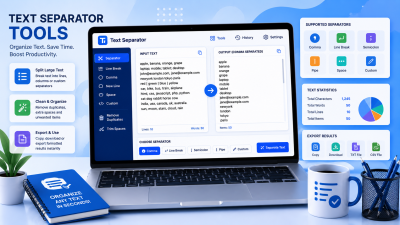
How to Organize Large Text Lists Using Text Separator Tools Introduction Managing large amounts of text can quickly become overwhelming.
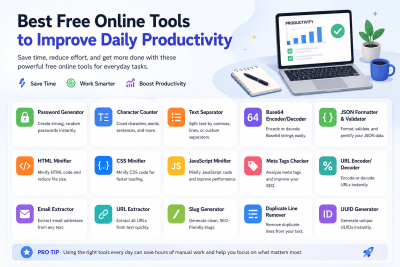
Best Free Online Tools to Improve Daily Productivity Introduction Productivity is not about working longer hours—it’s about working smarter. In
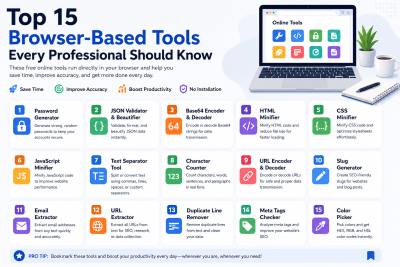
Top 15 Browser-Based Tools Every Professional Should Know Introduction Modern professionals rely heavily on digital tools to improve productivity, streamline