Software development involves constant context-switching. In a single working afternoon, an engineer might inspect a webhook payload from Stripe, reformat an unreadable SQL seed file, decode an OAuth Bearer token, convert a database column name to camelCase, and minify a critical CSS stylesheet before deploying a hotfix.
Historically, developers solved these micro-tasks by writing temporary throwaway scripts in terminal shells or downloading heavyweight desktop software that cluttered their machines. Today, modern web standards—specifically WebAssembly (WASM), Web Workers, and the Web Cryptography API—have turned web browsers into high-performance execution runtimes capable of handling complex data manipulation in milliseconds.
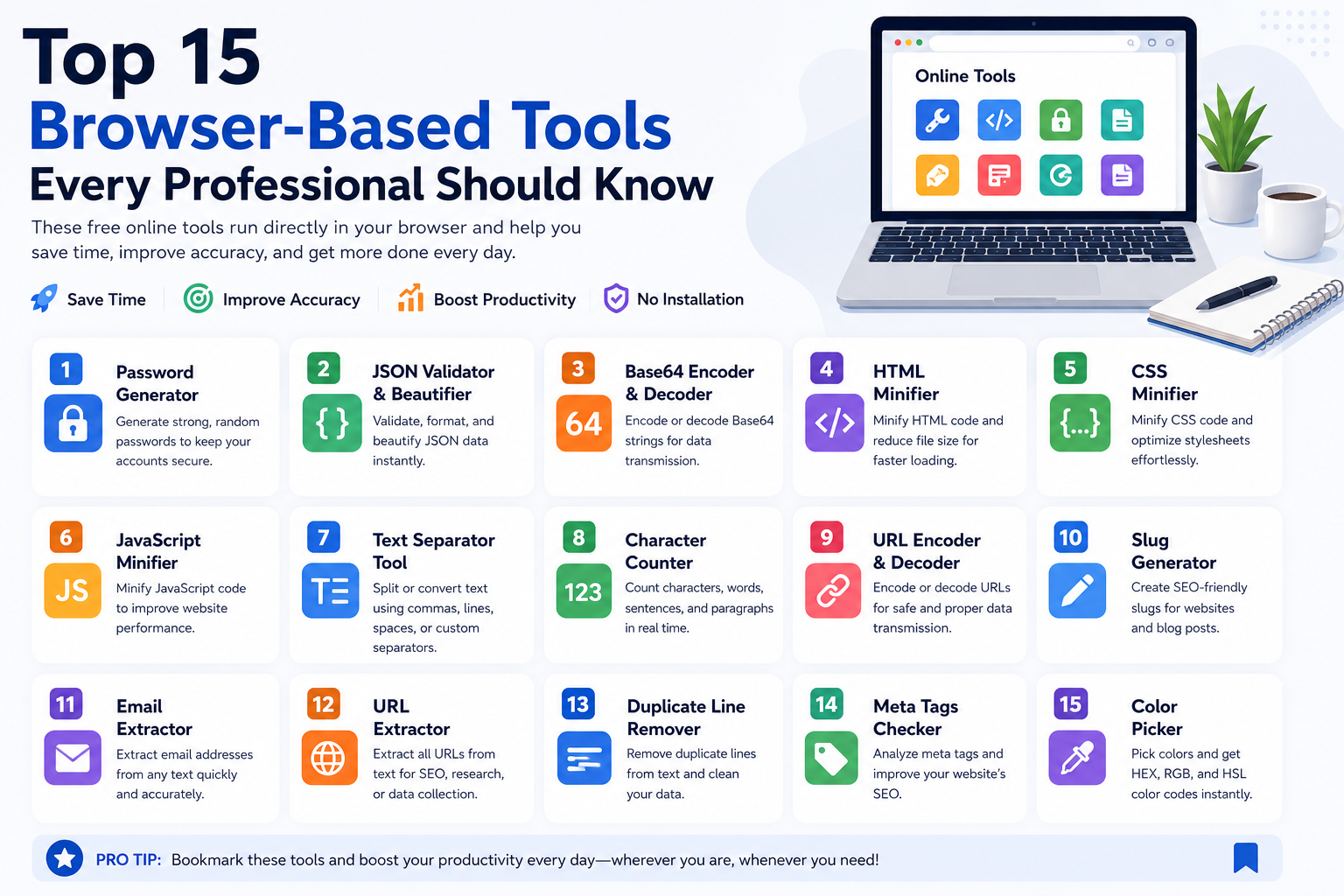
However, not all online web tools are created equal. Many ad-bloated formatting websites transmit user data to remote cloud servers, creating potential privacy risks when handling proprietary company text. Here is an engineer-led review of fifteen essential browser utilities that process data entirely client-side, categorized by their daily operational role.
The 15 Essential Developer Utilities Matrix
| Tool Name | Functional Category | Primary Production Scenario | Client-Side Mechanism |
|---|---|---|---|
| 1. JSON Formatter & Validator | Data Serialization | Pretty-printing minified API responses and sorting keys for clean Git diffs. | Native JSON.parse() with recursive AST key traversal. |
| 2. Base64 Encoder / Decoder | Data Encoding | Decoding JWT authentication headers and inspecting binary Data URIs. | Radix 6-bit translation using native TextEncoder / TextDecoder. |
| 3. URL Encoder / Decoder | Web Networking | Troubleshooting broken webhook redirect URLs and OAuth query strings. | RFC 3986 percent-encoding with UTF-8 multi-byte support. |
| 4. Text Separator & Delimiter | Data Ingestion | Converting spreadsheet columns into SQL WHERE IN ('a','b') clauses. |
Linear string tokenization and configurable array joining. |
| 5. Duplicate Line Remover | Data Hygiene | Deduplicating lead lists and server log exports before database import. | $O(n)$ in-memory hash set filtering. |
| 6. UUID Generator | Identity & Keys | Generating unique primary keys and distributed tracing correlation IDs. | Hardware CSPRNG via crypto.getRandomValues(). |
| 7. Case Converter | Code Architecture | Mapping database snake_case columns to TypeScript camelCase. |
RegEx boundary splitting and identifier re-casing. |
| 8. CSS Minifier | Web Performance | Compressing stylesheets to eliminate render-blocking CSS in production. | Whitespace stripping, comment removal, and hex consolidation. |
| 9. JavaScript Minifier | Web Performance | Compressing client-side script tags and third-party tracking snippets. | AST parsing, dead code elimination, and variable mangling. |
| 10. HTML Minifier | Web Performance | Collapsing whitespace and comments across static templates to boost TTFB. | DOM-safe regex tokenization and tag condensation. |
| 11. Character & Word Counter | Content & SEO | Validating database column character limits and SEO pixel widths. | Unicode grapheme clustering and regex word boundary parsing. |
| 12. Meta Tags Checker | SEO & Social | Simulating Open Graph, Twitter Cards, and Google SERP snippets. | HTML head DOM parsing and proportional pixel width simulation. |
| 13. Slug Generator | SEO Architecture | Transliterating international titles into clean RFC 3986 permalinks. | Unicode NFD decomposition and stop word filtering. |
| 14. Password Generator & Checker | Security & Ops | Creating cryptographic master keys and testing Shannon entropy. | Web Crypto CSPRNG with character-pool entropy modeling. |
| 15. Email & URL Extractor | Data Scraping | Extracting contact addresses and hyperlinks from unstructured log dumps. | RFC 5322 compliant regular expression extraction. |
Deep Dive: The Three Core Utility Clusters
1. Data Serialization and Protocol Inspection (JSON, Base64, URL)
In distributed microservices and cloud architectures, software components communicate across network boundaries using text-based serialization formats. When an API endpoint fails, the error logs invariably output minified, unformatted JSON strings or percent-encoded query parameters. Trying to read a 5,000-character single-line JSON string without formatting is an exercise in futility.
By running raw responses through a client-side JSON Formatter & Validator, you instantly reveal nested object structures, syntax errors, and missing property keys. Similarly, when debugging authorization issues, passing an encrypted Bearer token into a Base64 Decoder allows you to inspect the JSON Web Token (JWT) header and payload claims (such as expiration timestamps and assigned roles) directly in your browser without transmitting sensitive security tokens to external servers.
2. Text Transformation and Data Hygiene (Separator, Deduplication, Case Converter)
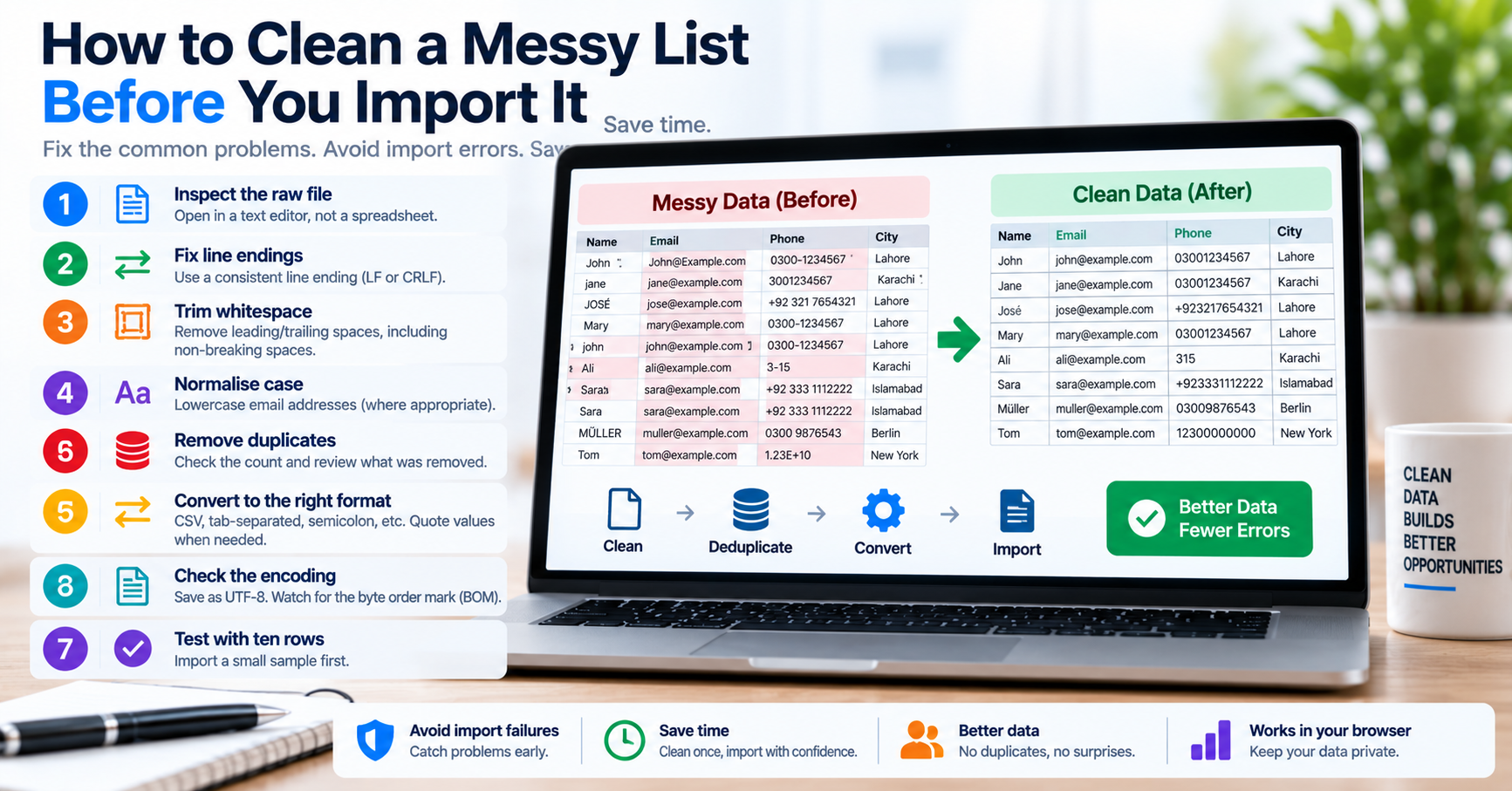
A staggering amount of engineering time is spent massaging text from one format into another: converting vertical spreadsheet columns into comma-separated SQL WHERE IN clauses, stripping duplicated rows from server log dumps, or converting database snake_case column definitions into TypeScript camelCase interfaces. Using dedicated client-side utilities—such as our Text Separator, Duplicate Line Remover, and Case Converter—allows you to accomplish in three seconds what would otherwise require writing custom throwaway scripts or wrestling with spreadsheet macros.
3. Web Performance and Cryptographic Security (Minifiers, UUIDs, Passwords)
When preparing web applications for production deployment, every kilobyte of uncompressed code delays initial page rendering and degrades Core Web Vitals. Browser-based HTML, CSS, and JavaScript Minifiers execute AST parsing to eliminate whitespace, dead code, and redundant comments, dramatically shrinking asset payloads. In parallel, generating distributed primary keys using a client-side UUID Generator or creating master vault credentials using a Web Crypto Password Generator ensures your production systems leverage cryptographically secure hardware pseudo-random numbers (CSPRNG) rather than predictable pseudo-random seeds.
Chaining Browser Utilities for Rapid Incident Response
During live production incident response, speed is paramount. A powerful operational pattern is utility chaining: passing output from one tool directly into the next to diagnose complex failures rapidly:
- Step 1 (Extract): Copy a raw, messy error log from AWS CloudWatch or Datadog into the URL Decoder to restore human-readable query parameters.
- Step 2 (Isolate): Paste the decoded parameters into the Text Separator to extract specific transaction IDs.
- Step 3 (Sanitize): Run the extracted IDs through the Duplicate Line Remover to isolate unique failed customer accounts.
- Step 4 (Format): Wrap the unique IDs in single quotes and commas, producing an immediate SQL query to inspect the database state.
By chaining lightweight browser tools, an incident that would normally require fifteen minutes of shell scripting is resolved in ninety seconds.
Why Client-Side Execution Is Non-Negotiable
When choosing web tools for daily development, the primary architectural criterion must always be: where does the code execute?
Traditional server-side utilities require your browser to send an HTTP POST request containing your data to their backend server. The server processes the text and returns the formatted response. This architectural model presents three major hazards:
- Data Exposure: If you paste proprietary configuration files, customer spreadsheets, or database credentials into a server-side tool, that data travels over public internet routers and is processed in an external server's memory, potentially violating customer NDAs and privacy regulations.
- Network Latency: Waiting for a server round-trip introduces hundreds of milliseconds of delay. In contrast, local JavaScript processes data in under 5 milliseconds.
- Availability Risks: Server-rendered utilities crash when the provider's server is overloaded. Client-side tools run directly on your own device's CPU and can continue operating even if your internet connection drops.
At TU Web Tools, our entire utility suite is engineered to run 100% locally in your web browser. No pasted data is ever transmitted to our servers or logged to external databases, giving engineering teams complete confidence when handling sensitive company payloads.