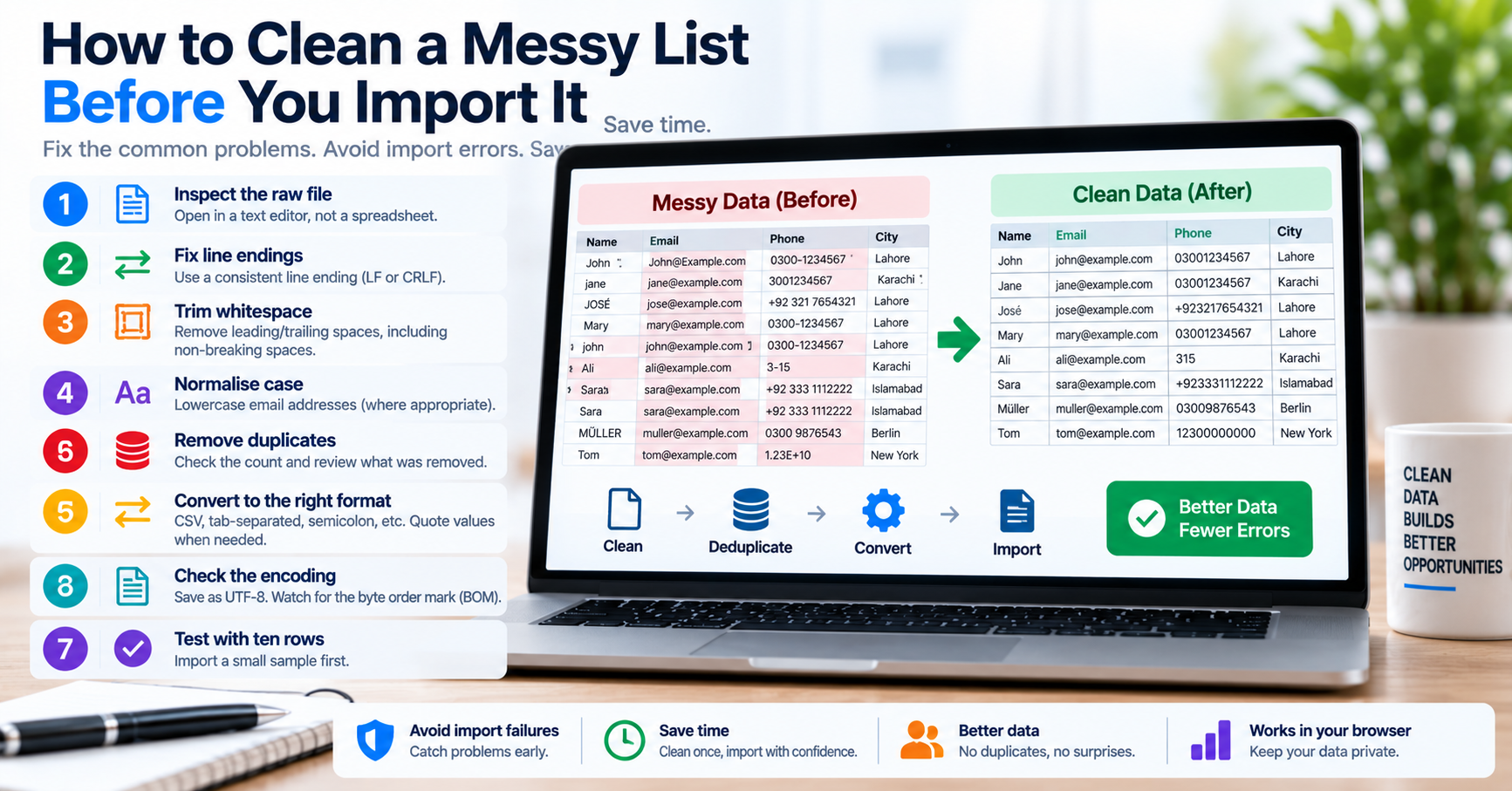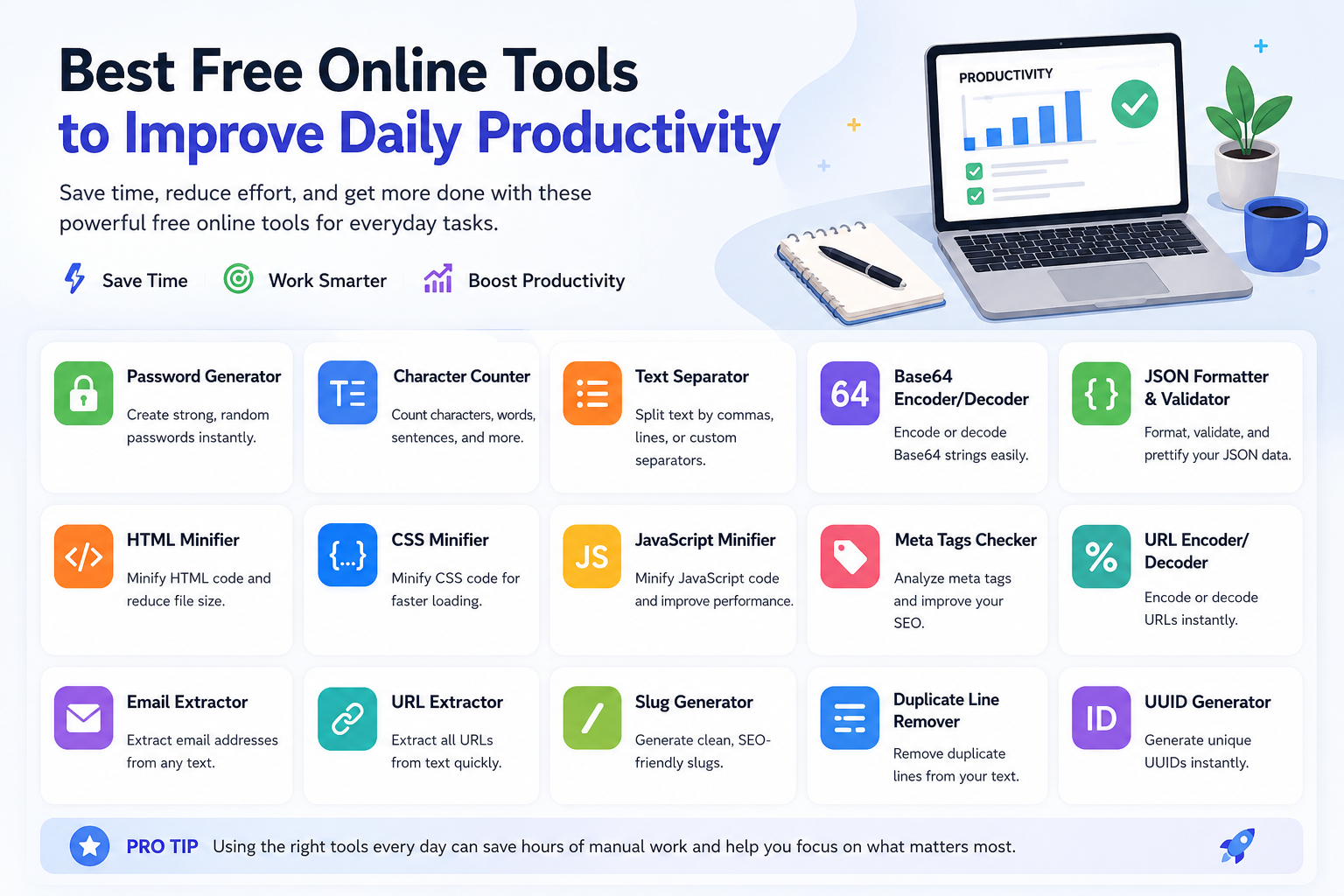
In software engineering and digital operations, productivity is rarely lost to massive, catastrophic disruptions. Instead, productivity is eroded by micro-friction: the dozens of tiny, repetitive data-formatting tasks that interrupt deep technical focus throughout the day. An engineer spends fifteen minutes wrapping single quotes around IDs for an SQL query. A marketer spends twenty minutes deduplicating an email newsletter list in Excel. An analyst struggles with a broken CSV import caused by trailing carriage returns.
Individually, each of these tasks takes only a few minutes. Cumulatively, they shatter cognitive momentum and drain engineering output. High-performing engineering teams do not work more hours; they systematically eliminate micro-friction by leveraging high-speed browser utilities to automate repetitive text transformations. Here is an architectural guide to streamlining your daily workflow using client-side tools.
The Cognitive Cost of Context-Switching in Data Wrangling
According to research in cognitive psychology and developer ergonomics, every time a software engineer stops what they are doing to write a one-off shell script or wrestle with spreadsheet formatting formulas, it takes an average of fifteen to twenty-three minutes to regain deep focus. If an engineer encounters five micro-formatting hurdles in a day, up to two hours of productive focus are lost.
| Everyday Operational Task | Manual / Traditional Approach | Time Lost | High-Leverage Tool Solution | Execution Duration |
|---|---|---|---|---|
Formatting SQL WHERE IN lists |
Typing quotes and commas manually across 200 lines in a text editor. | 15 - 20 minutes | Text Separator: Paste, select newline split, join with comma, enable quote wrap. | < 3 seconds |
| Deduplicating messy customer leads | Importing into Excel, running "Remove Duplicates", dealing with frozen spreadsheets. | 10 - 15 minutes | Duplicate Line Remover: In-memory $O(n)$ hash filtering with instant line count diffs. | < 2 seconds |
| Cleaning minified API error logs | Opening IDE, creating a new file, setting language mode to JSON, running auto-format. | 3 - 5 minutes | JSON Formatter: Instant browser pretty-print with RFC 8259 syntax error highlighting. | < 1 second |
| Generating test UUIDs for migrations | Booting a Node or Python REPL in a terminal to call uuidv4(). |
2 - 4 minutes | UUID Generator: Bulk generation of 500 CSPRNG UUIDs ready to paste into SQL. | < 1 second |
Five Core Productivity Workflows Every Team Should Adopt
1. Rapid Database Query Preparation
Customer support escalates a spreadsheet containing fifty order IDs that failed to process. To query your database, you need to turn that column of numbers into an SQL clause: WHERE order_id IN ('ORD-101', 'ORD-102'...). Instead of writing multi-cursor macros in VS Code, paste the list into our Text Separator, select Split: Newline, Join: Comma, and tick Wrap in Single Quotes. Your query is ready in three clicks.
2. Deterministic JSON Sorting for Clean Pull Requests
When editing large configuration files (like translation JSON or permission maps), developers often add keys to the bottom of the object. Over time, team members introduce merge conflicts because their editors serialize keys differently. By running your JSON files through an alphabetical key-sorting formatter before opening pull requests, you ensure consistent Git diffs and painless code reviews.
3. Client-Side JWT and Base64 Header Inspection
Debugging authorization headers (e.g. Bearer eyJhbGci...) should not require uploading customer auth tokens to third-party cloud websites. Using our local Base64 Decoder, you can split the token, inspect the unencrypted payload claims (expiration timestamps, user roles, token issuer), and diagnose session expiry without sending credentials over the network.
4. Bulk URL Slug Generation for Content Publishing
When publishing articles across a content management system (CMS), generating URL slugs manually leads to inconsistent permalinks containing unwanted punctuation, spaces, or international accents that break routing. Using an automated Slug Generator, you can paste article headlines in bulk and generate clean, hyphenated, search-optimized permalinks that conform strictly to RFC 3986 standards.
5. High-Entropy Password Generation for DevOps Vaults
When setting up new production database clusters, Redis caches, or API webhook secrets, developers often fall into the trap of inventing passwords manually or using weak default patterns. Utilizing a client-side Password Generator powered by hardware CSPRNG randomness ensures every service credential has over 128 bits of entropy, neutralizing brute-force and dictionary attack vectors before deployment.
Automating Webhook Payload Debugging (Stripe, GitHub, Shopify)
Modern web engineering relies extensively on asynchronous webhooks. When integrating payment gateways like Stripe or continuous integration platforms like GitHub Actions, incoming HTTP POST requests deliver complex, deeply nested JSON payloads containing dozens of metadata properties, customer tokens, and event timestamps.
When an endpoint throws a 500 Internal Server Error in staging or production, engineers often copy the raw payload from server logs into an unreadable monolithic string. Attempting to parse where a specific object property failed requires proper indentation and syntax checking. By loading the payload into our client-side JSON Formatter & Validator, you can immediately expand collapsed arrays, identify whether numerical fields exceed 64-bit safe integers, and sort object keys alphabetically for clear side-by-side comparison with the API documentation schema.
Auditing Web Tool Security: How to Verify Zero Network Leakage
Before using any online developer utility with proprietary codebase files, customer records, or internal database exports, engineers should perform a quick 60-second security audit using Chrome DevTools:
- Open DevTools: Press
F12or right-click anywhere on the web page and select Inspect. - Navigate to the Network Tab: In the Network panel, click the Fetch/XHR filter to isolate dynamic API calls. Check the Preserve log checkbox.
- Perform the Data Transformation: Paste a test string into the utility tool and click Convert, Minify, or Format.
- Inspect the Network Activity: Verify that zero HTTP POST or GET requests are dispatched to external servers or third-party tracking domains. If the request log remains completely blank, all computation occurred entirely inside your browser's local JavaScript engine.
At TU Web Tools, we encourage every engineer to run this exact network audit on our platform. Every tool in our suite operates strictly client-side, guaranteeing that your data never touches our servers.
Establishing an Internal Tool Hygiene Policy
While browser utilities provide massive productivity gains, technical leads should establish clear ground rules for their engineering teams:
- Verify Client-Side Processing: Open your browser's Developer Tools (
F12-> Network tab) and verify that typing or converting text generates zero outgoing HTTP network requests. If a tool sends user data to a remote API, do not use it with company data. - Bookmark Verified Local Utilities: Provide developers with an approved list of secure, client-side tools (such as TU Web Tools) to avoid staff stumbling onto dubious third-party sites via search engines.
- Combine Tools with Browser Bookmarks: Keep frequently used formatters on your browser bookmarks bar for instant, zero-friction access throughout your working day.