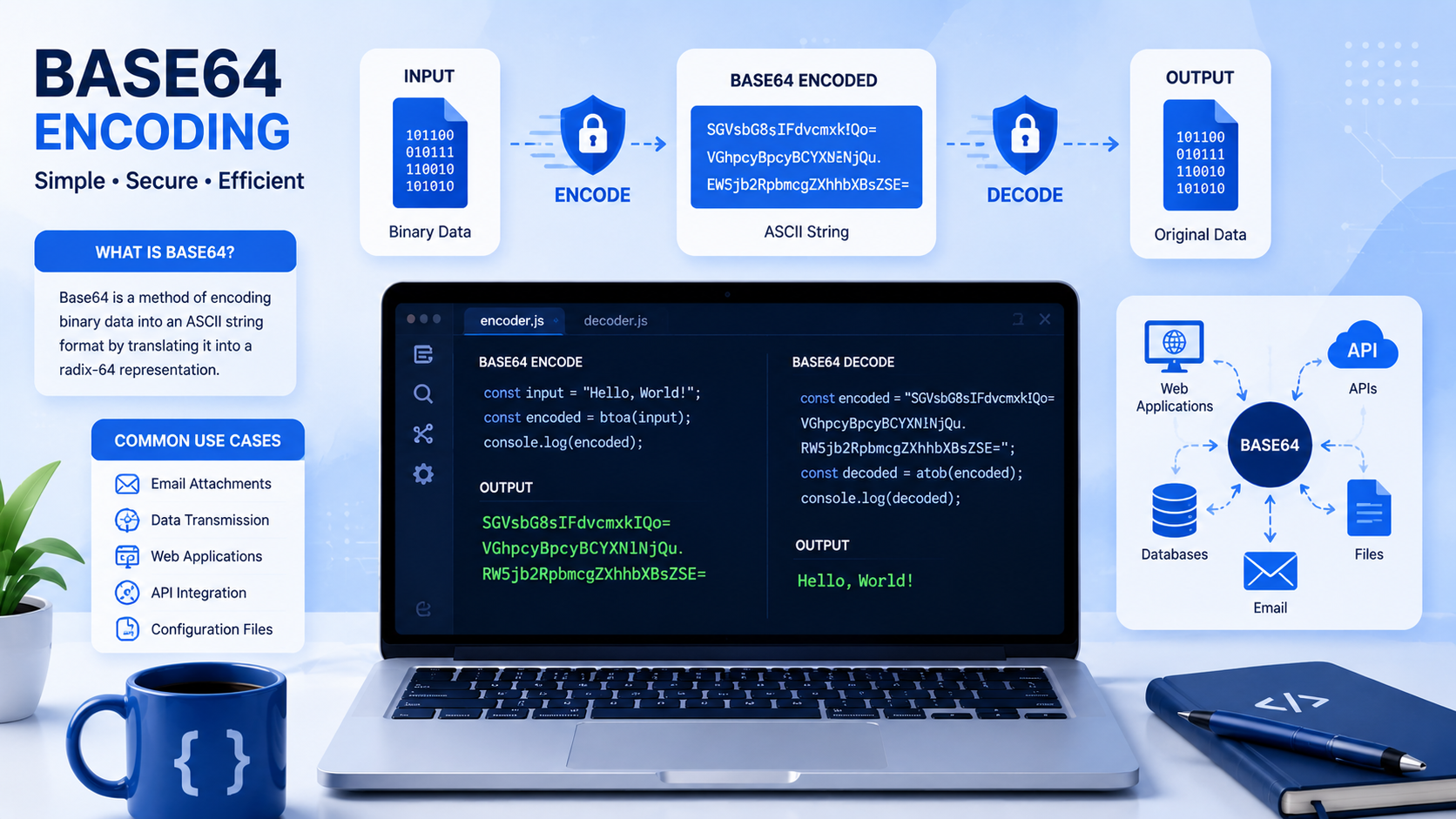
If you have ever inspected an HTTP Basic Authentication header, decoded a JSON Web Token (JWT) signature, or viewed an SVG graphic embedded directly inside a CSS stylesheet, you have encountered Base64 encoding. Base64 is one of the most ubiquitous data transformation formats in computing, yet many software engineers treat it as an opaque black box—or worse, mistakenly assume it is an encryption algorithm.
Base64 is not encryption; it provides zero cryptographic confidentiality. Instead, Base64 is a binary-to-text encoding scheme designed to solve a fundamental networking problem: how do you safely transmit arbitrary binary data (like images, executables, or encryption keys) across legacy channels designed strictly to handle printable text? Here is an engineering deep-dive into how Base64 works mathematically, why it introduces a 33% size expansion penalty, and when you should—and should not—use it in modern web architecture.
The Historic Origin: Why Base64 Was Necessary
In the early days of ARPANET and the foundational internet, core communication protocols like SMTP (email) were engineered strictly around 7-bit ASCII character sets. In a 7-bit system, there are only 128 allowable numerical values (0 to 127). Standard binary data (like an image file or a compiled executable), however, uses 8-bit bytes (values 0 to 255).
If you attempted to send a raw binary file across a legacy SMTP gateway, the transmission software would strip the high 8th bit, or worse, interpret binary bytes as teletype hardware control characters (such as Null bytes, Carriage Returns, or End-of-Transmission marks). The binary payload would arrive hopelessly corrupted. To transmit binary data reliably, engineers created RFC 4648 Base64: a system that translates 8-bit binary bytes into a safe alphabet of 64 universal ASCII characters.
The Mathematics of Base64: 6-Bit Radix Representation
The name "Base64" derives from the fact that it uses a base-64 numbering system. Because $2^6 = 64$, every Base64 character represents exactly 6 bits of data:
| Character Index Range | Characters Assigned | Total Count | RFC 4648 Notes |
|---|---|---|---|
0 - 25 |
Uppercase English Letters (A-Z) |
26 characters | Guaranteed printable across all operating systems. |
26 - 51 |
Lowercase English Letters (a-z) |
26 characters | Case-sensitive mapping. |
52 - 61 |
Digits (0-9) |
10 characters | Standard decimal numerals. |
62 & 63 |
Plus (+) and Slash (/) |
2 characters | Replaced by - and _ in the modern Base64URL specification. |
Why Binary Files Expand by Exactly 33%
To convert raw 8-bit bytes into 6-bit Base64 characters, the algorithm groups three 8-bit bytes together:
\( 3\text{ input bytes} \times 8\text{ bits} = 24\text{ total bits} \)
\( 24\text{ bits} \div 6\text{ bits per character} = 4\text{ Base64 output characters} \)
Because every 3 bytes of raw binary data become 4 ASCII characters, Base64 introduces a mathematical size expansion of exactly 33.3% (\( 4 / 3 = 1.333 \)). A 100 KB image file encoded in Base64 will consume approximately 133 KB of text memory. When the input data is not evenly divisible by three, padding characters (= or ==) are appended to complete the 4-character alignment boundary.
Base64 in Cryptographic Key Formats (PEM & SSH)
Beyond network transmission, Base64 is the primary representation for public and private encryption keys in Privacy-Enhanced Mail (PEM) format (RFC 7468):
-----BEGIN RSA PRIVATE KEY-----
MIIEowIBAAKCAQEA0w5g9zVb4pP1v9x2b4Q8L...
-----END RSA PRIVATE KEY-----
An RSA or Ed25519 cryptographic key is fundamentally a raw binary sequence of big integers and ASN.1 DER data. By encoding the binary DER structure in Base64 and wrapping it in human-readable header boundaries, keys can be safely copied and pasted into configuration files, environment variables, and Git repositories without corruption by text editor formatting.
Base64 Data URIs: When to Use Them and When to Avoid Them
In modern web development, developers frequently embed small graphics directly into HTML or CSS using Data URIs:
/* Embedding an icon directly into CSS: */
.icon-checkmark {
  background-image: url("data:image/svg+xml;base64,PHN2ZyB4bWxucz0iaHR0cDovL3d3dy53My5vcmcvMjAwMC9zdmciIHdpZHRoPSIxNiIgaGVpZ2h0PSIxNiI+PHBhdGggZD0iTTEyIDJsLTggOCA0IDQgOC04eiIvPjwvc3ZnPg==");
}
While Data URIs eliminate an extra HTTP network request, using them indiscriminately creates serious performance regressions:
- Bypassing Browser Caching: When an image is embedded directly into an HTML or CSS document, it cannot be cached independently. If your CSS stylesheet changes by a single line, the browser must re-download the entire stylesheet, including all embedded image strings.
- Blocking Mobile CPU Rendering: Mobile web browsers must decode Base64 strings in JavaScript memory before rasterizing the pixels onto the graphics card, creating noticeable CPU spikes on budget mobile devices.
- The 1 KB Rule of Thumb: Only use Base64 Data URIs for tiny SVG icons or 1px spacer images smaller than 1 kilobyte. For all photos and larger assets, serve modern WebP/AVIF images via a CDN with independent HTTP caching headers.
Base64URL and JSON Web Tokens (JWT)
In web authentication, JSON Web Tokens (JWT) consist of three segments separated by periods: header.payload.signature. Standard Base64 uses the plus sign (+) and slash (/), both of which have reserved programmatic meanings in URL query parameters and REST routing.
To make tokens safe for URL transmission, the Base64URL standard replaces + with a hyphen (-) and / with an underscore (_), while omitting all trailing = padding characters. You can encode, decode, and inspect Base64 and Base64URL tokens safely in your browser using our free Base64 Encoder & Decoder tool.
Base64 in Email Attachments: MIME Multipart Architecture (RFC 2045)
When you attach a PDF document, spreadsheet, or image to an email message, your email client does not send raw binary data across the wire. Instead, under the MIME (Multipurpose Internet Mail Extensions) standard (RFC 2045), the attachment is encoded into Base64 text wrapped inside boundary headers:
--boundary_string_12345
Content-Type: application/pdf; name="invoice_october.pdf"
Content-Transfer-Encoding: base64
Content-Disposition: attachment; filename="invoice_october.pdf"

JVBERi0xLjQKJcOkw7zDtsOfCjIgMCBvYmoKPDwvTGVuZ3RoIDMgMCBSL0ZpbHRlci9GbGF0
ZURlY29kZT4+CnN0cmVhbQp4nE2QywrCMBBF9/2Ku0wiadqXpFAoiF9QcCO4E/du/P84
... (Lines strictly wrapped at 76 characters) ...
--boundary_string_12345--
To adhere to historic teletype terminal line-length limits, RFC 2045 mandates that Base64 email streams must insert a CRLF (\r\n) line break every 76 characters. Because of the combination of 33.3% Base64 radix expansion, MIME boundary headers, and CRLF line breaks, sending an email with a 20 MB attachment consumes approximately 27 MB to 28 MB of bandwidth. This mathematical reality explains why corporate email servers with a nominal "25 MB attachment limit" frequently reject incoming raw files as small as 19 MB.
Memory Traps in High-Throughput Node.js and Go Backends
In backend engineering, handling Base64 payloads carelessly can easily exhaust server RAM. In Node.js, calling Buffer.from(hugeData).toString('base64') requires allocating a contiguous block of V8 memory. If an API accepts a 50 MB file upload and converts it to a Base64 string in memory, the server must simultaneously hold the raw binary buffer, the intermediate string representation (~67 MB), and any JSON wrapper objects.
On high-concurrency servers, this causes rapid V8 heap fragmentation and aggressive garbage collection (GC) pauses that freeze API request threads. For any payload larger than 5 MB, always stream the data directly to disk or S3 using chunked stream transforms (e.g. stream.Transform) rather than buffering the entire Base64 string in RAM.