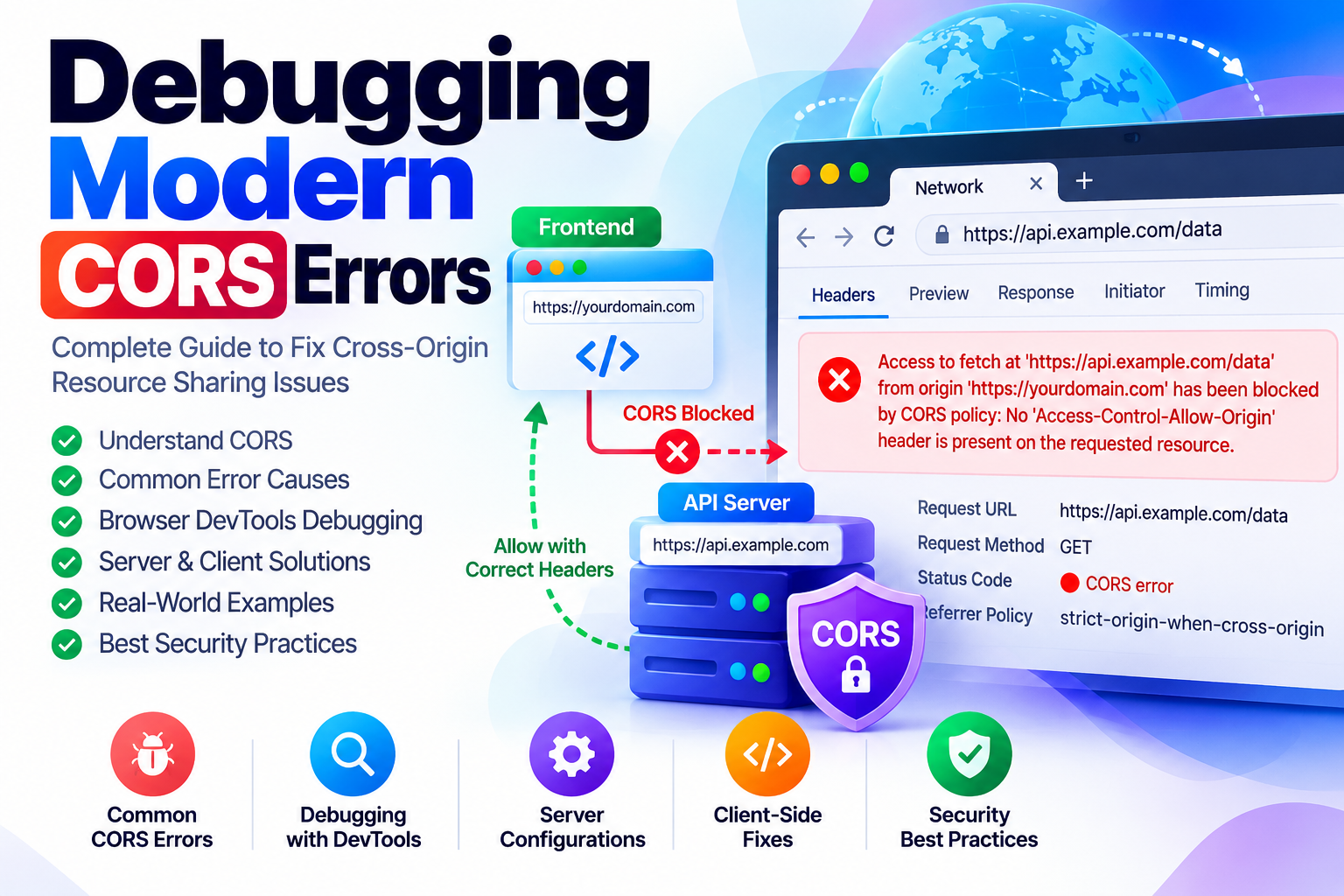
Few error messages in web development trigger as much immediate frustration as the infamous browser console banner: "Access to fetch at 'https://api.example.com/data' from origin 'https://app.example.com' has been blocked by CORS policy: Response to preflight request doesn't pass access control check."
During my years building browser-based tools, web applications, and API microservices, I have watched both junior and senior engineers spend hours thrashing against CORS errors. The primary reason for this struggle is a fundamental misunderstanding of what CORS actually does. Many developers treat CORS as a backend security firewall, attempting to fix issues by arbitrarily slapping wildcard headers across their servers. In reality, Cross-Origin Resource Sharing (CORS) is a client-side browser enforcement mechanism designed to protect end users, not the server.
In this guide, I will deconstruct the exact mechanics of modern CORS interactions, explain why the preflight OPTIONS handshake occurs, demonstrate why wildcard origins fail when authentication credentials are involved, and provide tested production server configurations for Nginx, Apache, and Node.js.
1. The Core Architecture: Why CORS Exists
To understand CORS, you must first understand the Same-Origin Policy (SOP). Formulated in the earliest days of browser architecture, SOP mandates that client-side scripts running on one origin (a unique tuple of scheme, hostname, and port) cannot access DOM elements, cookies, local storage, or network response payloads from a differing origin.
Consider what would happen without the Same-Origin Policy: you visit an untrusted website while logged into your online banking dashboard. The malicious site executes a background fetch('https://yourbank.com/api/transfers'). Because your browser stores authenticated session cookies for yourbank.com, it automatically attaches those cookies to the request. The bank processes the transfer and returns your account balance. Without SOP, the malicious script reads the response payload and steals your personal records.
SOP prevents the malicious site from reading that response. However, modern web architectures rely heavily on distributed infrastructure—single-page applications hosted on https://app.example.com routinely need to consume REST or GraphQL endpoints hosted on https://api.example.com. CORS is the explicit protocol by which a server grants a browser permission to relax its Same-Origin boundary for trusted callers.
| Request Component | Original Origin | Target Origin | Cross-Origin Result |
|---|---|---|---|
| Scheme Mismatch | http://example.com |
https://example.com |
Cross-Origin (Scheme differs: HTTP vs HTTPS) |
| Port Mismatch | https://example.com:443 |
https://example.com:8443 |
Cross-Origin (Port differs: 443 vs 8443) |
| Subdomain Mismatch | https://tuwebtools.com |
https://api.tuwebtools.com |
Cross-Origin (Different fully-qualified domain) |
| Identical Tuple | https://tuwebtools.com/tools |
https://tuwebtools.com/api/v1 |
Same-Origin (Direct access allowed without CORS) |
2. Simple Requests vs. Preflight Requests
Web browsers categorize outgoing cross-origin requests into two distinct execution paths: Simple Requests and Preflighted Requests.
When Does a Request Qualify as "Simple"?
A request bypasses the preflight check entirely if it satisfies all of the following conditions:
- The HTTP method is strictly
GET,HEAD, orPOST. - The request headers contain only standard safe headers automatically set by user agents (such as
Accept,Accept-Language,Content-Language, orContent-Type). - If a
Content-Typeheader is explicitly provided, its value must be restricted toapplication/x-www-form-urlencoded,multipart/form-data, ortext/plain.
For simple requests, the browser transmits the payload immediately, attaching an Origin header (e.g., Origin: https://app.example.com). When the response returns, the browser inspects the server's headers. If the server does not return a matching Access-Control-Allow-Origin header, the browser suppresses the response and throws a JavaScript console error. Notice that the server still processed the request; only the response data was withheld from client JavaScript.
Why Preflights Exist (The OPTIONS Handshake)
If your application sends modern JSON payloads (Content-Type: application/json), custom headers (such as Authorization: Bearer <token> or X-API-Key), or uses methods like PUT, PATCH, or DELETE, the browser deems the request potentially destructive. Before transmitting the actual payload, the browser issues an automated preflight probe using the HTTP OPTIONS method.
OPTIONS /v1/records/482 HTTP/1.1
Host: api.tuwebtools.com
Origin: https://tuwebtools.com
Access-Control-Request-Method: PUT
Access-Control-Request-Headers: authorization, content-type
The preflight request asks the destination server: "Does your origin permit an HTTP PUT from my origin with Authorization and Content-Type headers?" The server must reply with an HTTP 200 or 204 status containing the allowed directives:
HTTP/1.1 204 No Content
Access-Control-Allow-Origin: https://tuwebtools.com
Access-Control-Allow-Methods: GET, POST, PUT, DELETE, OPTIONS
Access-Control-Allow-Headers: Authorization, Content-Type
Access-Control-Max-Age: 86400
Only after receiving this explicit affirmation will the browser transmit the true PUT request. Notice the Access-Control-Max-Age: 86400 header—this instructs the browser to cache the preflight permission for 24 hours (86,400 seconds), eliminating redundant network round trips for subsequent calls.
3. The Lethal Conflict: Wildcards vs. Credentials
The most common security trap developers encounter is attempting to resolve a CORS failure by returning a blanket wildcard header:
Access-Control-Allow-Origin: *While this works for public, unauthenticated APIs (like open weather feeds or public fonts), it instantly breaks when client scripts request authenticated sessions:
// Client-side fetch with credentials
fetch('https://api.tuwebtools.com/user/profile', {
    method: 'GET',
    credentials: 'include' // Transmits cookies or HTTP auth
});
Under W3C and WHATWG specifications, a browser will strictly reject any cross-origin response where credentials are included if the server returns Access-Control-Allow-Origin: *. Allowing a wildcard here would expose sensitive customer sessions across every origin on the public internet.
To safely permit credentialed access, your server must implement two requirements:
- Validate the incoming
Originheader against an internal whitelist of authorized origins. - Echo the validated caller origin directly in the header (e.g.,
Access-Control-Allow-Origin: https://tuwebtools.com) alongsideAccess-Control-Allow-Credentials: true.
4. Terminal Diagnostics: Testing CORS with cURL
When debugging CORS failures, never rely exclusively on browser console logs. Browsers conceal low-level header exchanges during preflight drops. Using curl allows you to simulate the exact browser handshake from your command terminal:
# 1. Simulate an automated browser preflight OPTIONS check
curl -I -X OPTIONS https://api.tuwebtools.com/v1/resource
  -H "Origin: https://tuwebtools.com"
  -H "Access-Control-Request-Method: POST"
  -H "Access-Control-Request-Headers: Authorization, Content-Type"

# 2. Inspect the HTTP status code (must be 200 or 204)
# 3. Verify Access-Control-Allow-Origin matches your Origin exactly
# 4. Confirm Access-Control-Allow-Headers covers all requested headers
If the response returns HTTP 403, 404, or 500 on the OPTIONS request, or if your backend framework requires an active authentication session to complete the preflight, the browser will abort immediately before sending the true POST request.
5. Production Server Configurations
Nginx Reverse Proxy Configuration
Below is a production-ready Nginx configuration block that validates caller origins dynamically against an allowed whitelist, handles the preflight OPTIONS request with a 204 response, and caches permissions for 24 hours:
# Define allowed origins in your http block
map $http_origin $cors_allowed {
    default 0;
    "https://tuwebtools.com" 1;
    "https://staging.tuwebtools.com" 1;
}

server {
    server_name api.tuwebtools.com;

    location / {
        if ($cors_allowed = 1) {
            add_header 'Access-Control-Allow-Origin' "$http_origin" always;
            add_header 'Access-Control-Allow-Credentials' 'true' always;
            add_header 'Access-Control-Allow-Methods' 'GET, POST, PUT, DELETE, OPTIONS' always;
            add_header 'Access-Control-Allow-Headers' 'Authorization, Content-Type, Accept, X-Requested-With' always;
            add_header 'Access-Control-Max-Age' 86400 always;
        }

        # Intercept preflight OPTIONS before hitting upstream application
        if ($request_method = 'OPTIONS') {
            if ($cors_allowed = 1) {
                return 204;
            }
            return 403;
        }

        proxy_pass http://backend_upstream;
    }
}
Node.js / Express Middleware
When implementing CORS in Node.js services, avoid naive global handlers. Use explicit whitelist evaluation:
const express = require('express');
const cors = require('cors');
const app = express();

const allowedOrigins = [
  'https://tuwebtools.com',
  'https://staging.tuwebtools.com'
];

const corsOptions = {
  origin: function (origin, callback) {
    // Allow non-browser requests (mobile apps, server-to-server curl) where origin is undefined
    if (!origin || allowedOrigins.indexOf(origin) !== -1) {
      callback(null, true);
    } else {
      callback(new Error('Rejected by CORS policy'));
    }
  },
  credentials: true,
  methods: ['GET', 'POST', 'PUT', 'DELETE', 'OPTIONS'],
  allowedHeaders: ['Authorization', 'Content-Type', 'X-Requested-With'],
  maxAge: 86400
};

app.use(cors(corsOptions));
6. Production Troubleshooting Checklist
- Ensure OPTIONS routes bypass authentication guards: Modern API routers often wrap entire route groups in auth middleware. A browser preflight
OPTIONSrequest carries no authentication headers; if your server responds with a 401 Unauthorized, the client request fails immediately. - Avoid duplicate headers when using reverse proxies: If both your Nginx ingress controller and your backend Node/PHP service inject
Access-Control-Allow-Origin, the client receives two values separated by a comma (e.g.,https://tuwebtools.com, https://tuwebtools.com), which causes the browser to reject the response. - Always set the
Vary: Originresponse header: When caching reverse proxies or CDNs (Cloudflare, Fastly) sit between your API and users, settingVary: Originensures cached responses for one caller domain are never erroneously served to a different caller domain.
When testing cross-origin integrations, you can quickly analyze token structures and clean parameter strings using our free Base64 Encoder & Decoder and URL Decoder utilities.