Quick Response (QR) codes have transformed daily convenience. We scan them to pay for street parking, browse digital restaurant menus, set up two-factor authentication on new phones, and log into corporate desktop software. However, the exact feature that makes QR codes so convenient—the fact that human beings cannot read a matrix barcode with their naked eyes—has made them one of the fastest-growing attack vectors in global cybersecurity.
Security agencies, including the FBI and the US Federal Trade Commission (FTC), have issued urgent consumer warnings regarding the dramatic surge in "Quishing" (QR Code Phishing). Malicious actors are replacing physical QR stickers on public kiosks and embedding malicious barcodes inside corporate emails to bypass traditional enterprise email security filters. Here is how Quishing attacks operate in the real world and how you can inspect any QR code safely before visiting its destination.
How Quishing Attacks Operate in the Wild
In traditional email phishing, malicious actors include a clickable hyperlink (e.g. https://fake-login-portal.com). Enterprise email security gateways (like Proofpoint, Microsoft Defender for Office 365, or Mimecast) automatically inspect incoming links, scan them in sandbox environments, and block the email before it ever reaches the employee's inbox.
To evade these sophisticated email security scanners, cybercriminals turned to QR codes:
- Evading Automated OCR Scanners: The attacker crafts a phishing email claiming: "Your Microsoft 365 MFA session has expired. Scan the QR code below on your mobile device to re-authenticate." Because the email body contains only an image file rather than a raw text link, standard email filters pass the message straight through to the user's inbox.
- Exploiting Mobile Blind Spots: When an employee points their personal mobile phone at their laptop screen to scan the QR code, the attack pivots away from the company's protected corporate network onto the employee's unmonitored personal smartphone.
- Mobile Viewport Truncation: Mobile web browsers (like mobile Safari or Chrome) have compact address bars that frequently truncate long URLs, making it difficult for users to spot spoofed domains (e.g.
login.microsoft.com.security-verify-session.net). - Credential & Session Harvesting: The victim enters their corporate credentials, which the attacker captures in real time.
Dynamic QR Code Redirects: The Attacker's Secret Weapon
Many modern Quishing campaigns do not encode the final phishing URL directly into the QR matrix. Instead, attackers use Dynamic QR Code services or URL shorteners (such as Bitly or custom redirect domains). When the physical campaign or email blast is launched, the redirect initially points to a harmless benign site (such as Wikipedia or a legitimate corporate blog) to pass initial security audits. Once the phishing email has been delivered to thousands of corporate inboxes, the attacker updates the server redirect rules to route all incoming traffic directly to their credential-harvesting server.
Physical QR Sticker Tampering: Parking Meters & Kiosks
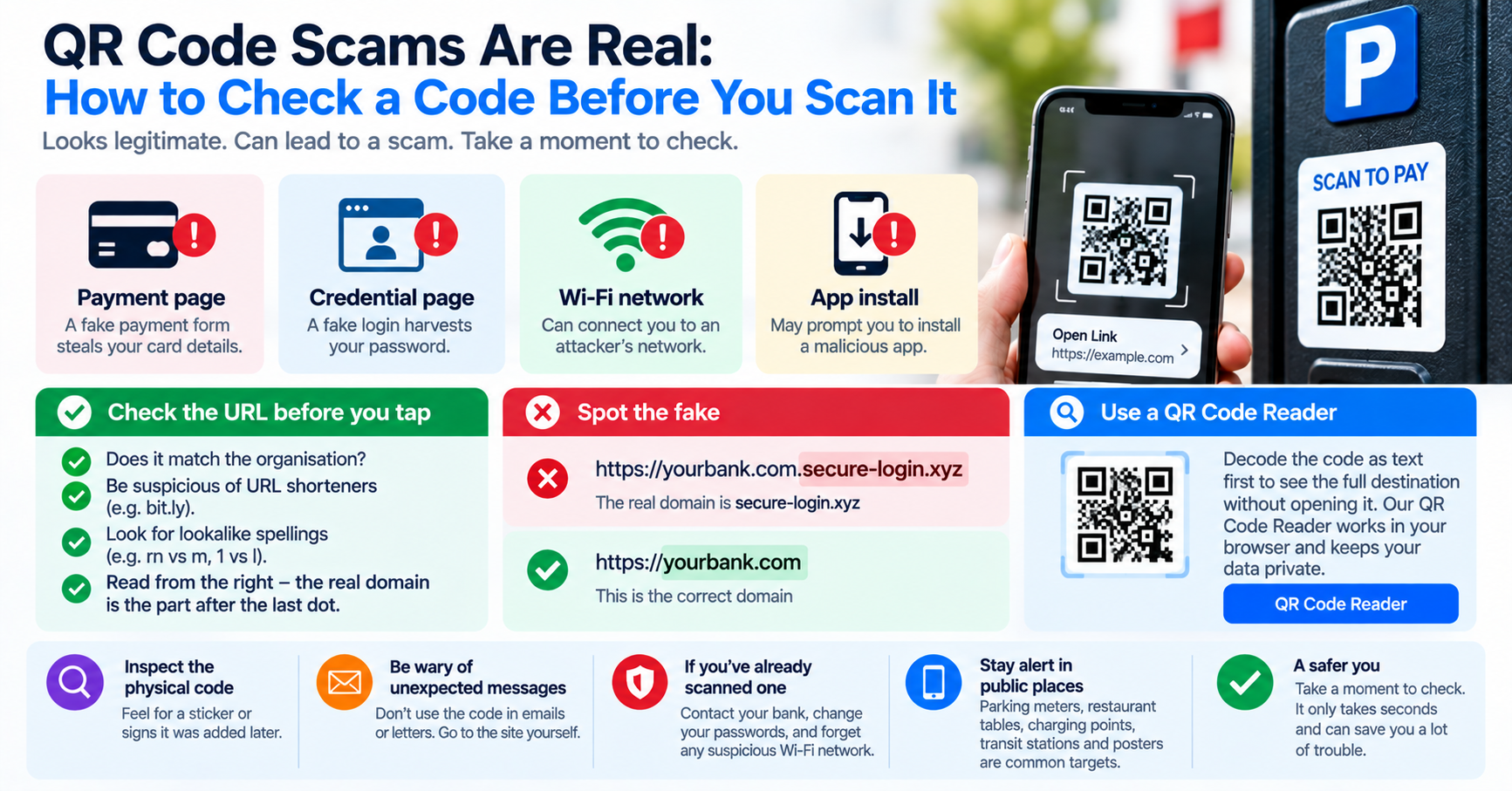
Quishing is not confined to email. In cities across North America and Europe, police have uncovered widespread tampering on municipal parking meters, electric vehicle charging stations, and public transit kiosks:
| Physical Location | Attacker Technique | Consequences to Victim |
|---|---|---|
| City Parking Meters | Fraudulent vinyl stickers pasted directly over the official payment barcode. | Victim enters credit card info into a fake payment site; loses money and receives a city parking ticket. |
| Restaurant Table Menus | Swapping physical tabletop acrylic cards with fake ordering links. | Prompts diners to enter credit card numbers or download malicious APK/malware apps. |
| Shared Bicycles & Scooters | Stickers pasted on bike handlebars overriding the rental app unlock code. | Steals payment credentials; the physical vehicle fails to unlock. |
How to Inspect a QR Code Safely Before Scanning
To protect yourself and your organization from Quishing attacks, never allow your mobile device to open QR destinations automatically. Implement these defensive habits:
1. Decode to Plain Text First (Desktop Inspection)
If you receive a QR code on your computer screen or in an email attachment, do not scan it with your phone. Take a screenshot (Windows: Win + Shift + S / Mac: Cmd + Shift + 4) and paste it into our free, client-side QR Code Reader. The tool will decode the matrix and display the destination URL as plain text. You can inspect the protocol, domain name, and tracking parameters safely without triggering an HTTP request or loading any malicious scripts.
2. Analyze the Fully Qualified Domain Name (FQDN)
Read the URL from right to left, starting at the first single forward slash (/):
https://login.microsoft.com.account-verification-service.net/auth
                              |--- The ACTUAL Domain ---|
In the example above, the actual domain is account-verification-service.net, NOT Microsoft. The attacker simply created a subdomain named login.microsoft.com to deceive human readers. If the domain does not belong to the official entity, close the window immediately.
3. Feel for Physical Sticker Overlays
When paying for parking or transit in public spaces, physically run your finger across the QR code surface before scanning. Legitimate municipal parking meter graphics are professionally screen-printed directly onto the metal or behind durable polycarbonate glass. If you feel a raised paper or vinyl sticker pasted over the original barcode, do not scan it—pay using the city's official mobile app or a credit card chip terminal instead.
4. Disable "Open Links Automatically" on Your Smartphone
In your smartphone's camera settings, ensure that your camera displays the decoded web address and waits for your explicit confirmation tap rather than automatically launching your default browser. This simple pause gives you the opportunity to inspect the hostname before loading the site.
Enterprise Defense: Securing Corporate Mailboxes Against Quishing
For IT security administrators, defending an organization against Quishing requires modern defenses:
- Implement Computer Vision in Mail Gateways: Upgrade email filtering rules to include optical image scanning that automatically parses QR barcodes embedded within attached PDFs and image files, evaluating destination URLs against threat intelligence feeds.
- Employee Awareness Simulations: Conduct simulated Quishing drills to train employees to recognize the warning signs of fake MFA reset requests.
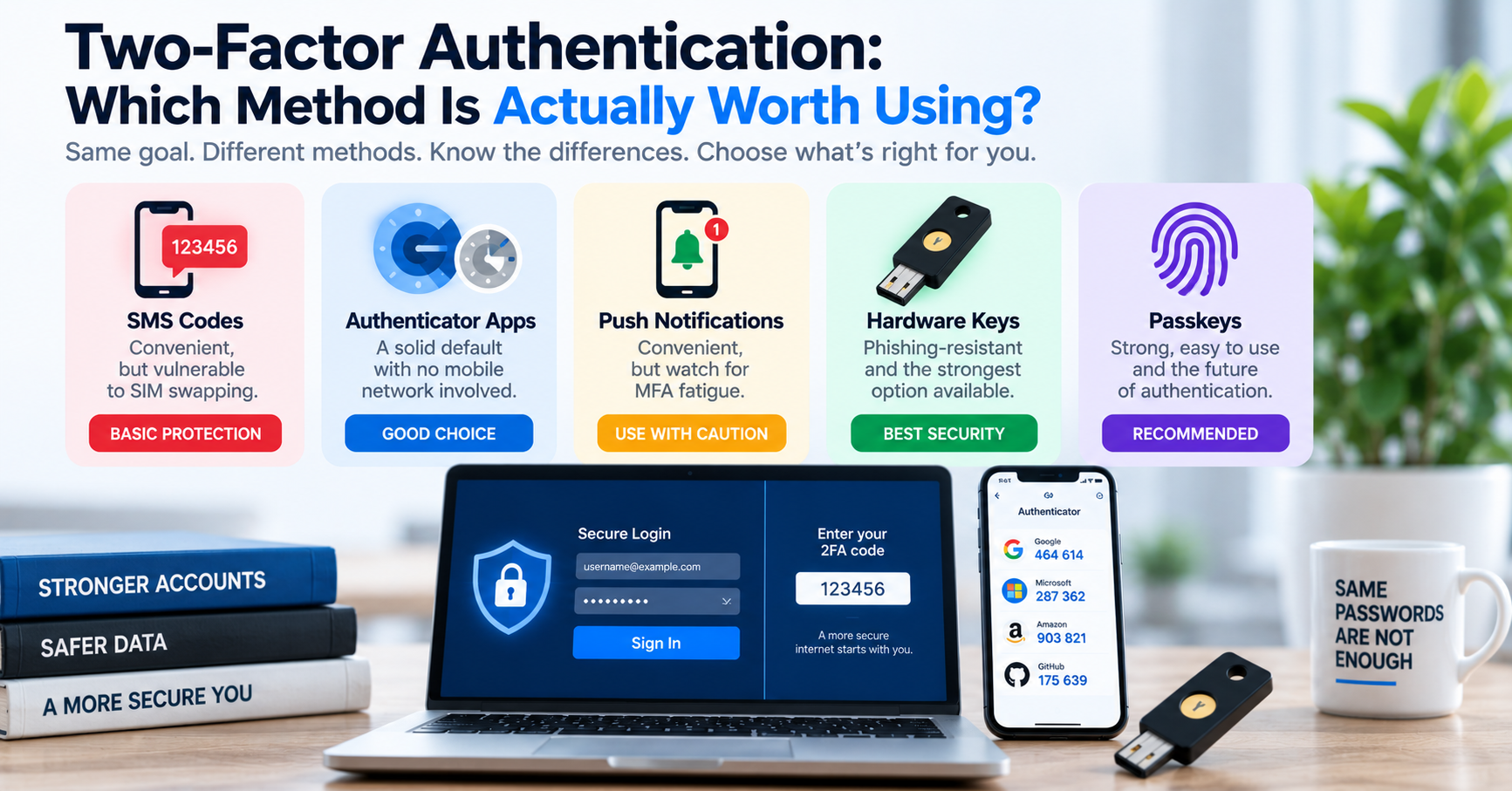
- Enforce FIDO2 / Passkey Authentication: Because WebAuthn Passkeys cryptographically bind authentication to the legitimate browser domain, even if an employee scans a fake QR code and enters their credentials, the phishing site cannot capture the hardware authentication token.