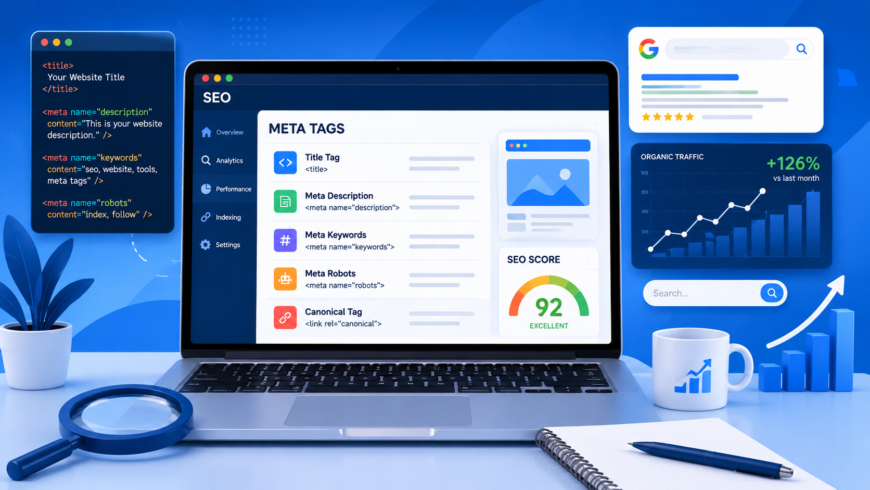
The <head> element of an HTML document is the operational command center of your website's search engine visibility. Before Googlebot, Bingbot, or social media scrapers render the visible visual layout of your web page, their parsers extract the metadata tags embedded within the document head. These tags dictate indexing permissions, declare canonical URL ownership, define social share previews, and construct semantic entity knowledge graphs.
Yet, in many software engineering teams, meta tags are treated as an afterthought or left entirely to generic content management system plugins. Misconfiguring conflicting directives—such as pairing an index robots tag with a conflicting canonical URL, or declaring multiple competing title tags—can cause search engines to de-index key landing pages or display broken, auto-generated snippets on search engine results pages (SERPs). Here is an authoritative, engineer-led guide to the ten essential HTML meta tags every production website must implement in 2026.
The 10 Essential Technical Meta Tags Matrix
| # | Meta Tag Name | Target Standard | SEO & Indexation Impact | Production Syntax Example |
|---|---|---|---|---|
| 1 | Title Tag | HTML5 Document Spec | Primary ranking signal and clickable SERP headline. Truncated at 600px desktop. | <title>Page Title | Brand</title> |
| 2 | Meta Description | HTML Standard | Search snippet body text. Drives organic CTR; budget 960px (~155 characters). | <meta name="description" content="..."> |
| 3 | Canonical URL | RFC 6596 | Consolidates duplicate content, tracking query parameters, and HTTP/HTTPS variations. | <link rel="canonical" href="https://..."> |
| 4 | Robots Meta Directives | Search Engine Protocol | Controls indexation, link crawling, and rich snippet image previews. | <meta name="robots" content="index, follow, max-image-preview:large"> |
| 5 | Viewport Meta Tag | W3C CSS Device Adapt | Prerequisite for mobile-first indexing; scales viewport to mobile screens. | <meta name="viewport" content="width=device-width, initial-scale=1.0"> |
| 6 | Charset Declaration | HTML5 Encoding | Must be within the first 1024 bytes to prevent character encoding sniffing vulnerabilities. | <meta charset="utf-8"> |
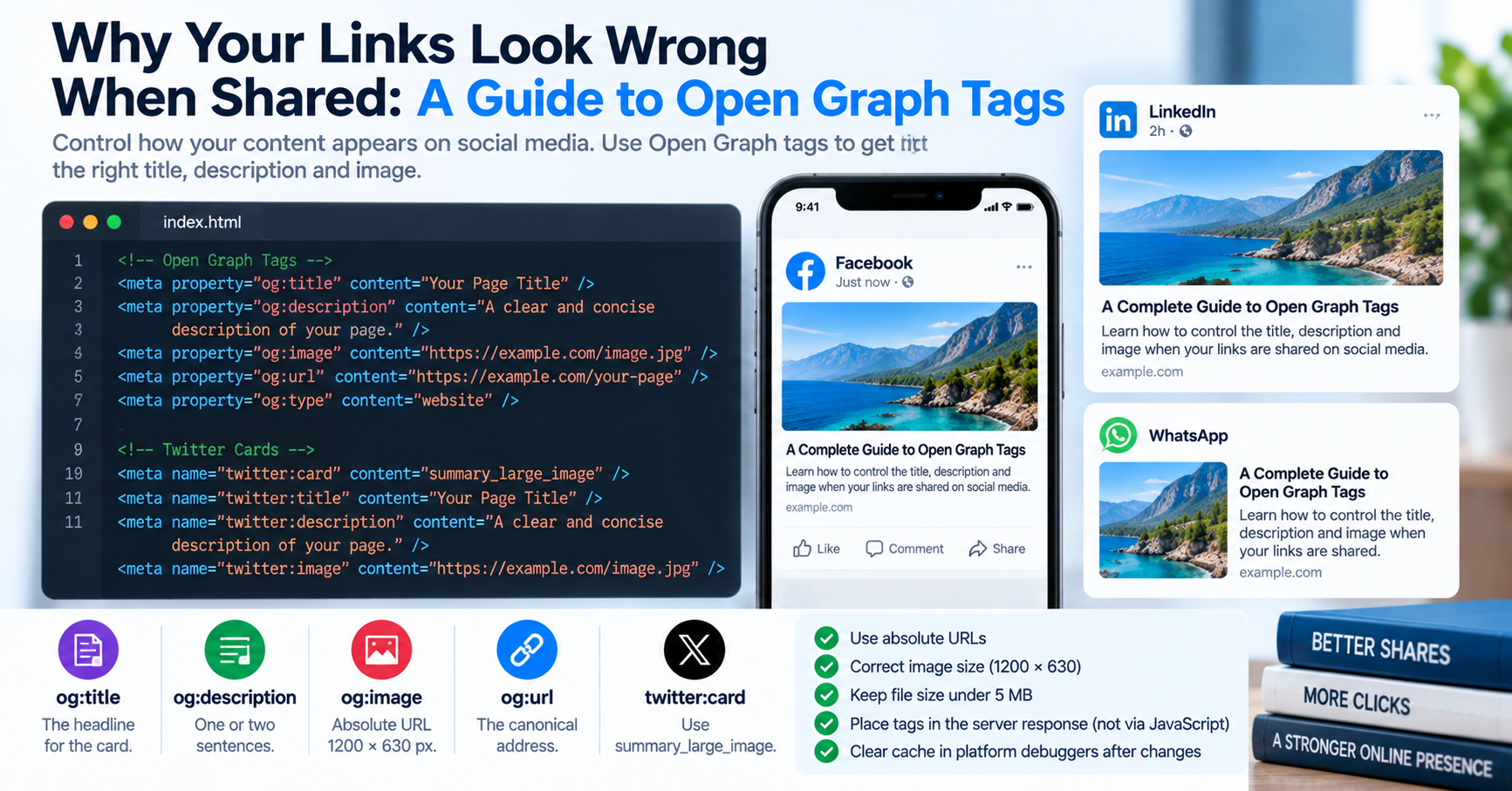
| 7 | Open Graph Title & Desc | Open Graph Protocol | Defines link cards on Facebook, LinkedIn, Slack, WhatsApp, and iMessage. | <meta property="og:title" content="..."> |
| 8 | Open Graph Image | Open Graph Protocol | High-resolution social card image (1200x630 px, 1.91:1 ratio). | <meta property="og:image" content="https://..."> |
| 9 | Twitter Card Tags | Twitter Card Schema | Instructs Twitter/X to render full-width visual preview cards. | <meta name="twitter:card" content="summary_large_image"> |
| 10 | JSON-LD Schema Markup | W3C / Schema.org | Powers Google Knowledge Graph, FAQ rich snippets, and breadcrumb trails. | <script type="application/ld+json">...</script> |
1. Title Tag: Managing Proportional Pixel Budgets
While commonly referred to as a "meta tag", the <title> element is actually a first-class HTML document element. It remains the single most impactful on-page technical SEO factor. Google does not measure title tags by character count; Google renders desktop search snippets inside a fixed container of 600 pixels rendered in Arial 20px typography.
If you author headlines with many wide glyphs (such as 'W', 'M', or uppercase letters), your title can be truncated at just 50 characters. Conversely, headlines utilizing slender characters ('i', 'l', 't') can comfortably reach 65 characters without truncation. Keep primary search keywords within the first 45 characters, followed by a brand separator: Primary Keyword & Value Proposition | BrandName.
2. Canonical Tag (RFC 6596): Eliminating Duplicate Content
Modern web applications frequently render the exact same page across multiple URL variations:
- With tracking query parameters:
example.com/page?utm_source=twitter&ref=affiliate - With trailing slashes:
example.com/page/vsexample.com/page - With protocol differences:
http://vshttps://, orwww.vs non-www
Without an explicit self-referential canonical tag, search engine algorithms divide ranking authority across these competing URL variations. By embedding <link rel="canonical" href="https://example.com/clean-permalink">, you instruct crawlers to consolidate all backlink signals and ranking authority onto a single primary address.
3. Robots Directives: Controlling Crawlers with Precision
The <meta name="robots"> tag communicates indexing instructions directly to search crawlers. For standard production articles, the optimal directive is:
<meta name="robots" content="index, follow, max-image-preview:large, max-snippet:-1, max-video-preview:-1">The max-image-preview:large directive is critical: it grants Google permission to display large, high-resolution thumbnail images in Google Discover and image search results, directly increasing mobile traffic. For internal staging environments, user admin dashboards, or search result query pages, prevent search indexing with: <meta name="robots" content="noindex, follow">.
4. Structured Data: JSON-LD Entity Graphs
While meta tags communicate document-level attributes, JSON-LD (JavaScript Object Notation for Linked Data) allows search engines to understand real-world semantic entities (people, organizations, software applications, and FAQs). Unlike legacy microdata attributes embedded inside HTML tags, JSON-LD is isolated within a clean <script type="application/ld+json"> block:
{
  "@context": "https://schema.org",
  "@type": "SoftwareApplication",
  "name": "TU Web Tools",
  "applicationCategory": "DeveloperApplication",
  "operatingSystem": "All",
  "offers": {
    "@type": "Offer",
    "price": "0",
    "priceCurrency": "USD"
  }
}
Embedding valid JSON-LD schemas enables Google to award enhanced search features: rich snippet star ratings, interactive FAQ accordions, and sitelink search boxes.
Common Meta Tag Anti-Patterns That Trigger Search Engine Penalties
In our audits of client websites, we frequently encounter critical metadata configuration errors that quietly destroy search rankings:
- Contradictory Indexing Directives: An engineering team includes a URL inside the XML sitemap submitted to Google Search Console, but the page template includes
<meta name="robots" content="noindex">. This sends conflicting signals to Googlebot, wasting crawl budget and generating indexation errors. - Duplicate Competing Title Tags: When using modern frontend component frameworks (like React Helmet or Next.js Metadata), developers often declare a title tag in the root layout and another title in the page component. If rendered incorrectly, the HTML output contains two separate
<title>tags. Search engines may arbitrarily choose whichever tag appears last or construct an auto-generated headline. - Omitting the Mobile Viewport Meta Tag: Omitting
<meta name="viewport" content="width=device-width, initial-scale=1.0">instructs mobile browsers to render the page in a desktop viewport of 980 pixels. This fails Google's mobile-first indexing criteria completely and introduces an artificial 300ms tap delay on mobile buttons.
Automating Meta Tag Verification in CI/CD Test Pipelines
To ensure that future code releases never accidentally break metadata, you can write an automated end-to-end test using Playwright or Puppeteer that validates your document head before deploying:
// Playwright automated metadata test:
test('verify essential SEO meta tags on homepage', async ({ page }) => {
  await page.goto('https://example.com');

  // 1. Verify exactly one title tag exists and is non-empty
  const title = await page.title();
  expect(title.length).toBeGreaterThan(10);
  expect(title.length).toBeLessThan(70);

  // 2. Verify canonical link matches the exact URL
  const canonical = await page.locator('link[rel="canonical"]').getAttribute('href');
  expect(canonical).toBe('https://example.com/');

  // 3. Verify meta description exists and is between 50 and 160 characters
  const description = await page.locator('meta[name="description"]').getAttribute('content');
  expect(description?.length).toBeGreaterThan(50);
  expect(description?.length).toBeLessThan(165);
});
Obsolete Meta Tags You Should Immediately Delete
Many legacy websites remain cluttered with obsolete meta tags that waste bandwidth and slow down DOM head tokenization:
<meta name="keywords">: Google officially confirmed in 2009 that the keywords meta tag has zero ranking value. Spammers abused it decades ago, and leaving it in your source code merely reveals your target keyword strategy to competitors.<meta name="revisit-after">: Search engines crawl pages based on real-world content freshness, sitemap pings, and internal link architecture; they ignore revisit-after declarations.<meta name="generator">: Exposes the exact CMS version running on your server (e.g.WordPress 6.4.2), helping automated vulnerability scanners target unpatched server software.
You can inspect, validate, and simulate your website's complete HTML metadata, Open Graph preview cards, and Google SERP snippets in real time using our free online Meta Tags Checker.